
Physical asset audits
Physical asset verification that reconciles while you scan
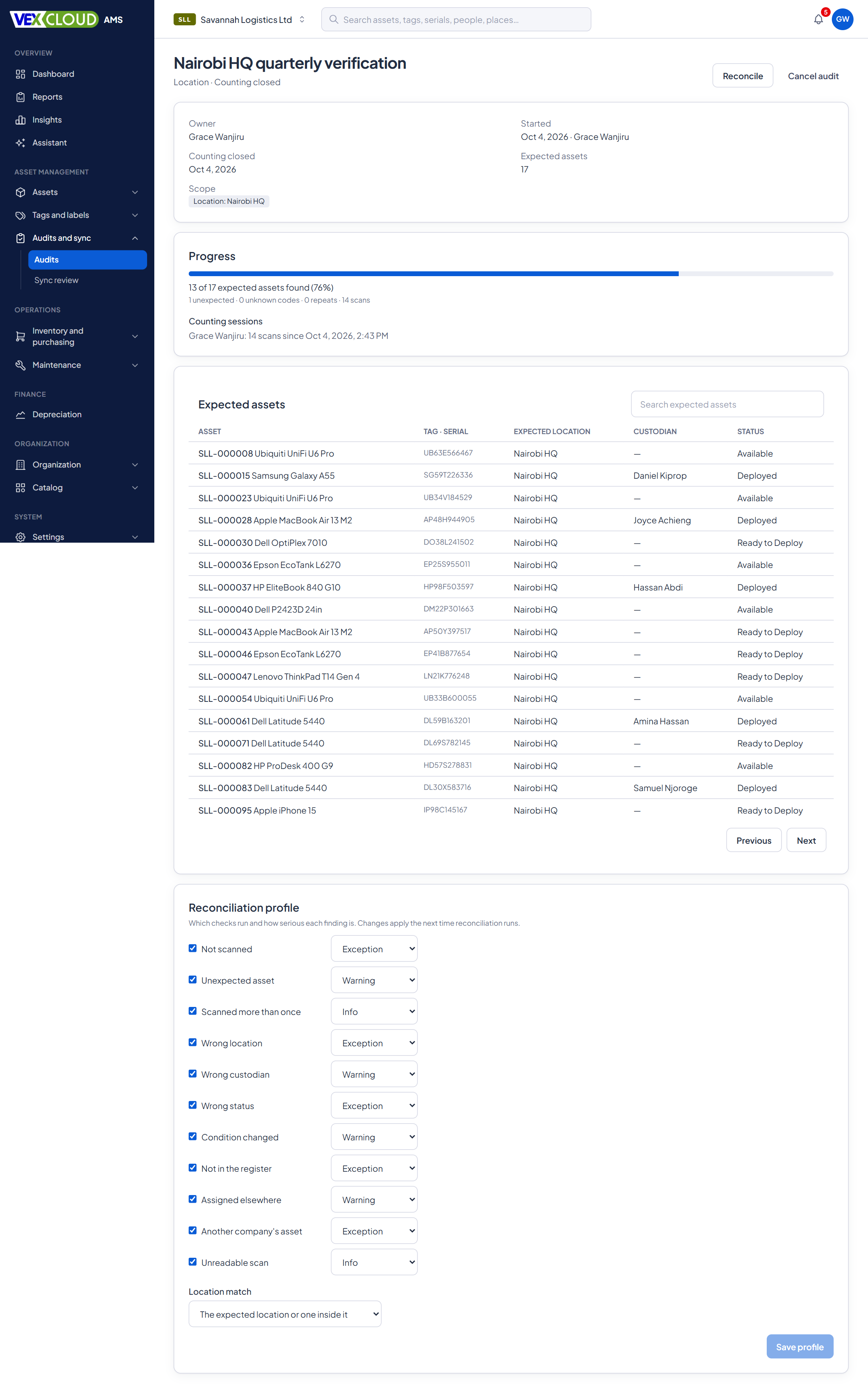
Plan an audit for a location, department, category or the whole company. VexCloud AMS loads the assets it expects to find, your team scans what's really there, and the reconciliation is ready the moment scanning ends.
The problem
Year-end verification usually means printed lists, ticks, and days of matching scans to a spreadsheet, then arguing about what “missing” means. By the time the report is ready, assets have moved again.
How it works in VexCloud AMS
01
Plan the scope
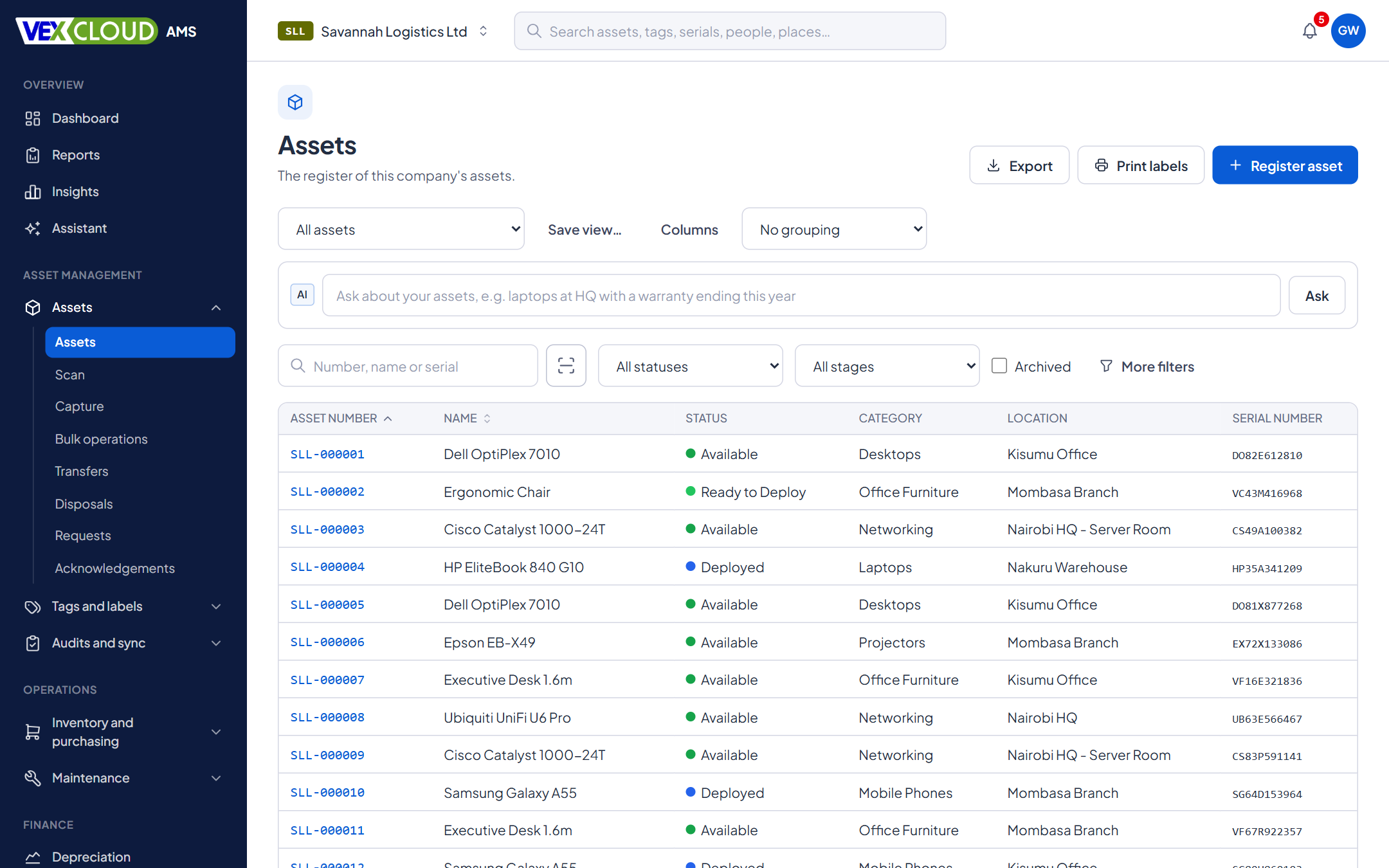
An audit covers a single asset, a location, a category, a department, a custodian or the whole company. You add include and exclude rules, and the screen shows how many assets match before you start. Locations and categories include everything beneath them, and archived or disposed assets are never expected.
Set an audit interval in months and every verified asset shows when it was last checked and when its next audit is due.
02
Freeze the expected list
When counting starts, VexCloud AMS takes a snapshot of every asset in scope, with its location, custodian, status and condition at that moment.
That matters on a week-long audit. If someone moves a laptop or registers a new asset on Wednesday, the list you are counting against does not change underneath you, and the results can be reproduced later.
03
Scan continuously
- Use the phone camera, a handheld scanner that types like a keyboard, or type the code.
- Each scan shows at once whether the asset was found or has already been counted.
- Scan a location label to change the place you are counting in. Later scans are counted there.
- Scans are kept on the device and sent in batches, so a dropped connection loses nothing. The Android app counts audits offline.
Every scan records who counted, on which device, and when.
04
Automatic reconciliation
When counting closes, the reconciliation runs and sorts every expected asset and every scan into its outcome. You choose which checks apply to each audit and how serious each finding is. Location matching can require the exact room or allow anything inside the expected area.
05
Review the exceptions
Each discrepancy becomes an exception you can mark investigating, accepted or false positive, with a note. VexCloud AMS keeps who decided and when. Filter by location, category, outcome or type and review a whole group in one step.
06
Fix in bulk
- Move to where seen for wrong-location and unexpected assets.
- Set status, such as Missing, for assets that were not found.
- Write off, which raises a disposal request that follows your approval rules.
Each correction is recorded against the audit, and the exception closes with who corrected it.
07
Finalize and freeze
Finalizing stamps every matched asset with its last-verified date and its next audit due date. If you choose, assets that were not found move to your Missing status automatically.
The finalized audit cannot be quietly edited afterwards: the database itself refuses changes to its expected list, scans, results and exceptions, for every role. A SHA-256 result hash is stored with the audit, and “Check integrity” recomputes it on demand. Export the results and exceptions to CSV, and a PDF report is generated for the file.
What reconciliation checks
These are the defaults in a new audit. Turn any check off or change its severity for the audit you are running.
| Check | Default | |
|---|---|---|
| Not scannedExpected in this audit, but nobody scanned it. Becomes the "missing" list. | Expected in this audit, but nobody scanned it. Becomes the "missing" list. | Exception |
| Unexpected assetScanned, and on your register, but not on this audit's expected list. | Scanned, and on your register, but not on this audit's expected list. | Warning |
| Scanned more than onceThe same asset scanned again. Counted once, flagged so you can see it. | The same asset scanned again. Counted once, flagged so you can see it. | Info |
| Wrong locationScanned somewhere other than where the register says it should be. | Scanned somewhere other than where the register says it should be. | Exception |
| Wrong statusThe asset's current status does not fit an asset that is physically present. | The asset's current status does not fit an asset that is physically present. | Exception |
| Not in the registerA readable code that matches nothing in your database. | A readable code that matches nothing in your database. | Exception |
| Another company's assetThe code belongs to a different company in your organization. | The code belongs to a different company in your organization. | Exception |
| Unreadable scanThe scan produced nothing the system could read. | The scan produced nothing the system could read. | Info |
Details
- Audit types
- Single asset, location, category, department, custodian, company-wide
- Scope rules
- Include and exclude; locations and categories include their descendants
- Counting input
- Phone camera, handheld scanner (keyboard wedge), typed codes
- Counting sessions
- One per person and device, added together in the progress view
- Offline
- Android app counts audits offline
- Corrections
- Move to where seen, set status, write off, all as bulk operations
- Exports
- CSV for results and exceptions, PDF audit report
- Integrity
- SHA-256 result hash, database-enforced freeze, on-demand check
- Roles
- Auditor, Field Agent and read-only Client Viewer roles
- Verification dates
- Last verified and next audit due on every asset
Related features
- Barcode and QR taggingDesign tag templates, number them, print in batches and track every reprint.
- Android app, offlineScan, capture and count audits where there is no signal. Syncs when you reconnect.
- Fixed asset registerNumbers, serials, locations, custodians, values, photos and documents, with history.
Asset verification firms: run audits for many clients from one login, each kept separate.
Assets need readable tags before they can be verified. See Vexar's fixed asset tagging process.
FAQ
Questions on physical asset audits
How many assets can one audit handle?
The baseline is at least 150 consecutive scans in one counting session, and the system is designed for audits many times larger. Scans are sent in batches while you count, and the expected list is a compact download on the device.
Can several people scan in the same audit?
Yes. Each person counts in their own session on their own device, and the audit's progress adds the sessions together: an asset found by anyone counts once.
What happens to assets found in the wrong location?
They appear as a Wrong location exception, with the place they were expected and the place they were seen. You can move them to where they were seen in one bulk step, or accept the difference with a note.
Can auditors get read-only access?
Access is set by role and permission. VexCloud AMS ships an Auditor role and a read-only Client Viewer role, and a finalized audit is read-only for everyone.
Does it work offline?
The Android app counts audits offline. Scans are kept on the device and sent when it reconnects.
See your own assets in VexCloud AMS.
Book a 30-minute demo.