
Import from Excel
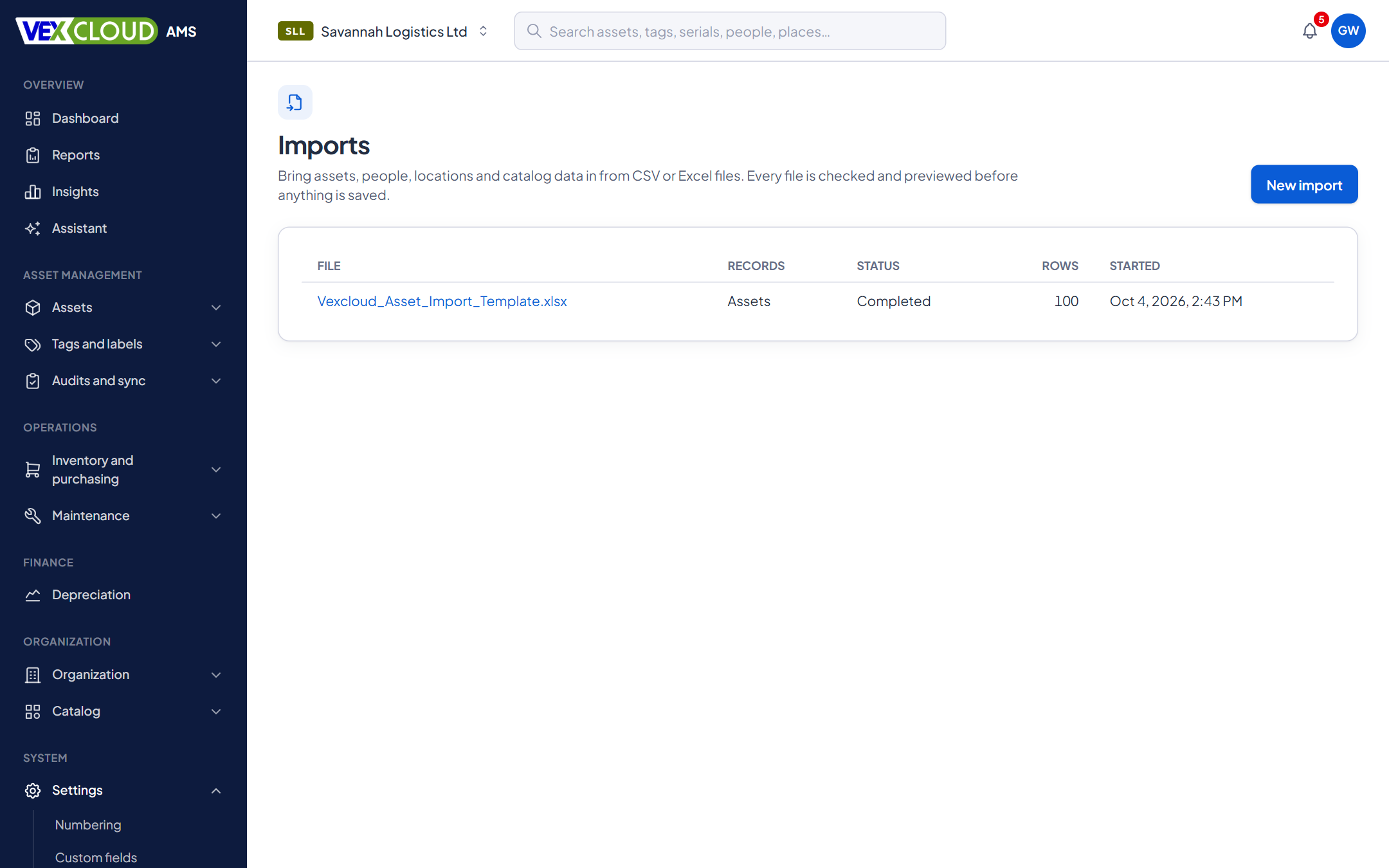
Bring your Excel asset register with you
Upload the register you already have, map the columns, see every problem before anything is saved, and import. Your numbers, serials and locations come across, not just a pile of rows.
The problem
A register that took years to build lives in Excel, with inconsistent location names, duplicate numbers and dates typed three ways. Retyping it is out of the question, and a blind import would copy every mistake across.
How it works in VexCloud AMS
01
Upload and map
Upload an Excel or CSV file. VexCloud AMS reads the header row, suggests which column is which, and shows you the mapping to confirm: nothing is applied without your say. Custom fields map as columns too.
Set the date order (year-month-day, day-month-year or month-day-year) and the decimal separator for your file.
02
Validate with a dry run
Validation does not guess at the rules. It runs your file through exactly the path a real import would use, including numbering, custom field checks and your company's rules, then rolls everything back and shows what would have happened.
- Duplicate asset numbers, within the file and against your register.
- Unknown locations, categories, people and suppliers.
- Invalid dates and amounts.
- How many new locations or categories would be created.
03
Fix, then import
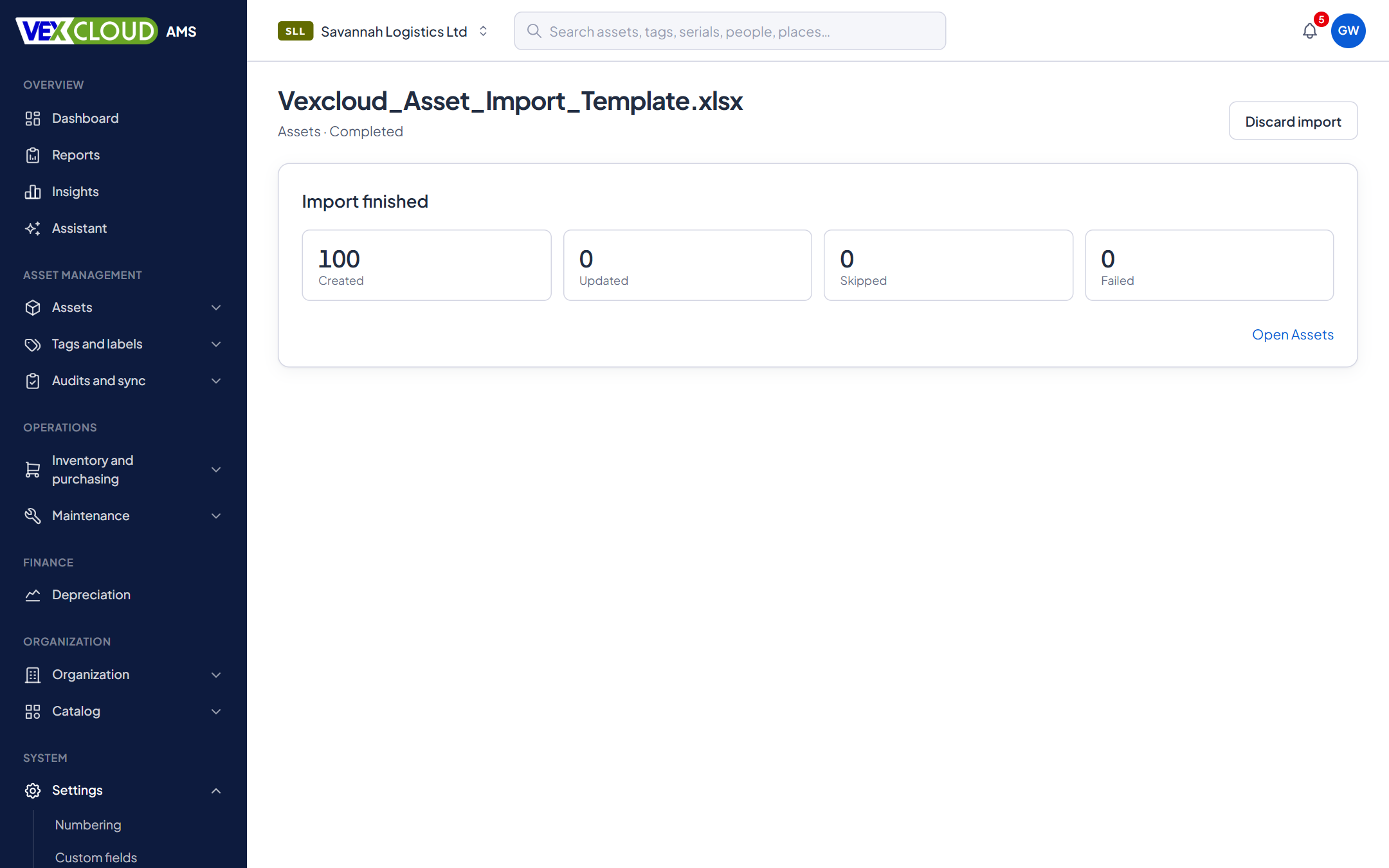
Download the problem rows with their original columns and the reason for each, correct them in Excel, and upload again, or import the good rows now. Created and updated records carry their normal history, marked as coming from an import.
04
More than assets
Imports also cover locations, departments, people, categories, manufacturers, suppliers and models, so you can load the reference data first and the assets after.
From file to register
- 01
Upload
Excel or CSV, checked as an upload before it is read.
.xlsx · .csv
- 02
Map
Columns suggested from the headers. You confirm.
Header → field
- 03
Validate
A dry run through the real rules, rolled back.
Nothing saved yet
- 04
Import
Good rows are written, problem rows are listed.
Created · updated · skipped
Details
- File types
- XLSX (first sheet) and CSV; UTF-8, UTF-16 or Windows-1252
- Limits
- 50,000 rows, 200 columns, 50 MB
- Targets
- Assets, locations, departments, people, categories, manufacturers, suppliers, models
- Modes
- Create, update, upsert, with a match key you choose
- References
- Must exist, or create missing
- Paths
- Parent > Child to any depth
- Dates and numbers
- Day, month, year order and decimal separator are yours to set
- Validation
- A rolled-back dry run through the real write path
- Problems
- Download with original columns and the reason
- Safety
- Text that could run as a formula is neutralised
Related features
- Fixed asset registerNumbers, serials, locations, custodians, values, photos and documents, with history.
- Barcode and QR taggingDesign tag templates, number them, print in batches and track every reprint.
- Physical asset auditsScan what is really there and reconcile it against the register while you count.
County governments and state agencies: bring decades of inherited registers into one place.
Starting from an old register? Vexar can count and tag on site and hand the new register to you ready to import.
FAQ
Questions on import from excel
Which files can I import?
Excel (.xlsx, first sheet) and CSV, including the CSV that Excel writes in Windows format. A file can have up to 50,000 rows and 200 columns, and up to 50 MB.
What happens to rows with errors?
Nothing is saved until you have seen the validation. Rows with problems are listed with the reason, can be downloaded with their original columns, and are skipped when you run the import. Rows without problems still import.
Can an import create missing locations and categories?
Yes, if you choose that for a column. Paths such as Nairobi HQ > Floor 2 > Room 4 create each missing level inside its parent. The preview shows how many of each will be created.
Can I update existing assets from a file?
Yes. Choose create, update or upsert, and pick the field that identifies an existing record, such as the asset number or serial number.
Can I get a ready-made template?
Yes. The template lists the columns VexCloud AMS recognises, and its headers map themselves when you upload.
See your own assets in VexCloud AMS.
Book a 30-minute demo.