
Many companies, one login
Many companies. One login. No mix-ups.
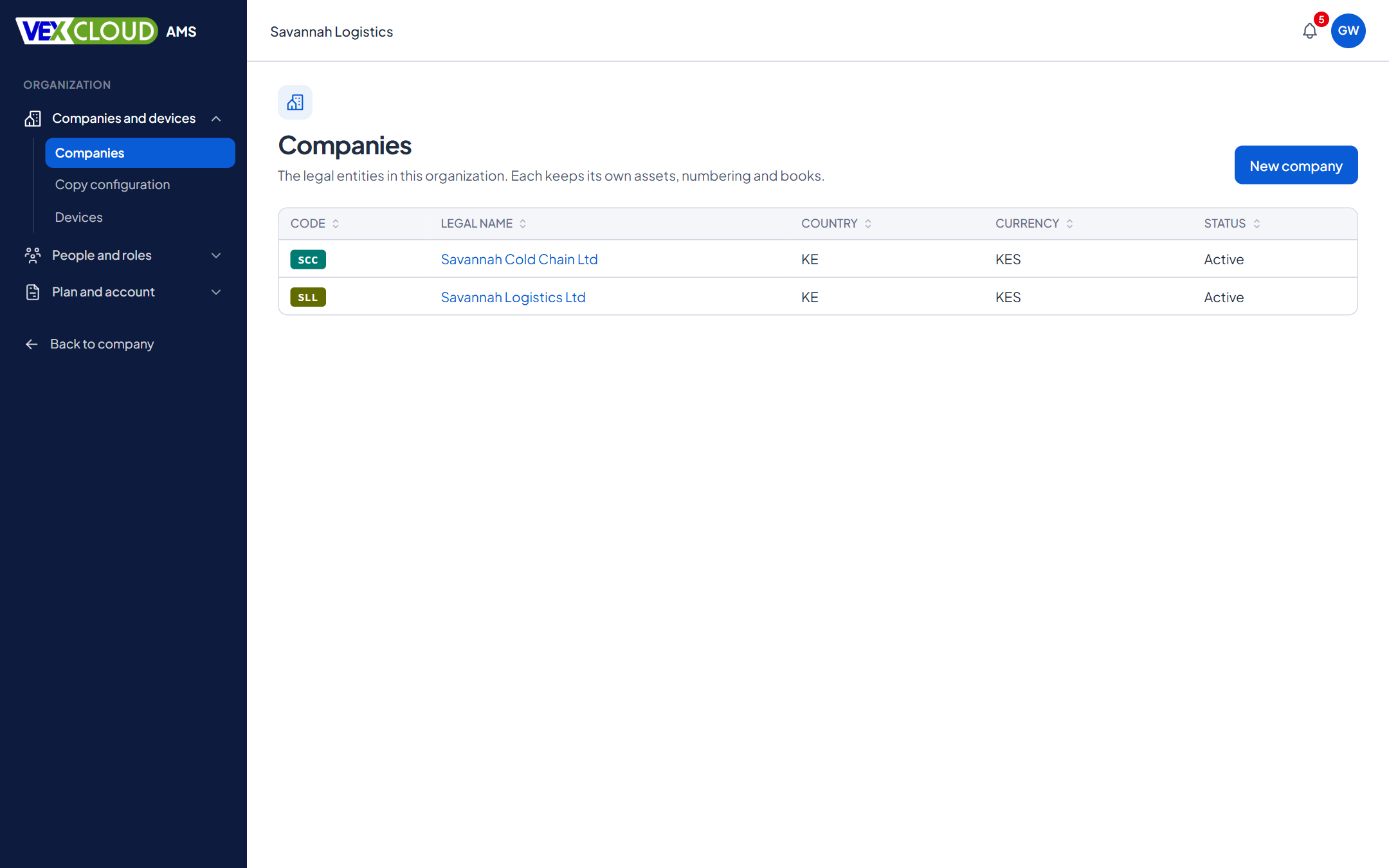
For groups, holding companies and firms that manage assets for clients. Switch the active company and the dashboard, assets, reports and tag numbers all follow, with each company kept separate.
The problem
One spreadsheet per client, or one giant file with a column for the client. Either way, a wrong filter shows one client's assets in another's report, and nobody can say who changed what.
How it works in VexCloud AMS
01
The active company, always visible
The company you are working in is shown in the header with its code and name, and in every create and bulk dialog: "Creating asset in Savannah Logistics Ltd". The company is part of the address of every page, so two browser tabs can work in two companies without interfering.
Dashboard, assets, locations, numbering, tags, audits and reports are all scoped to the active company. New assets belong to it automatically.
02
Separation enforced where it counts
The application checks the company on every request, and PostgreSQL's row-level security is the last line of defence: a query that forgot to filter by company still cannot read another company's rows. Records that refer to other records, such as a location or a person, must belong to the same company.
03
Roles per company
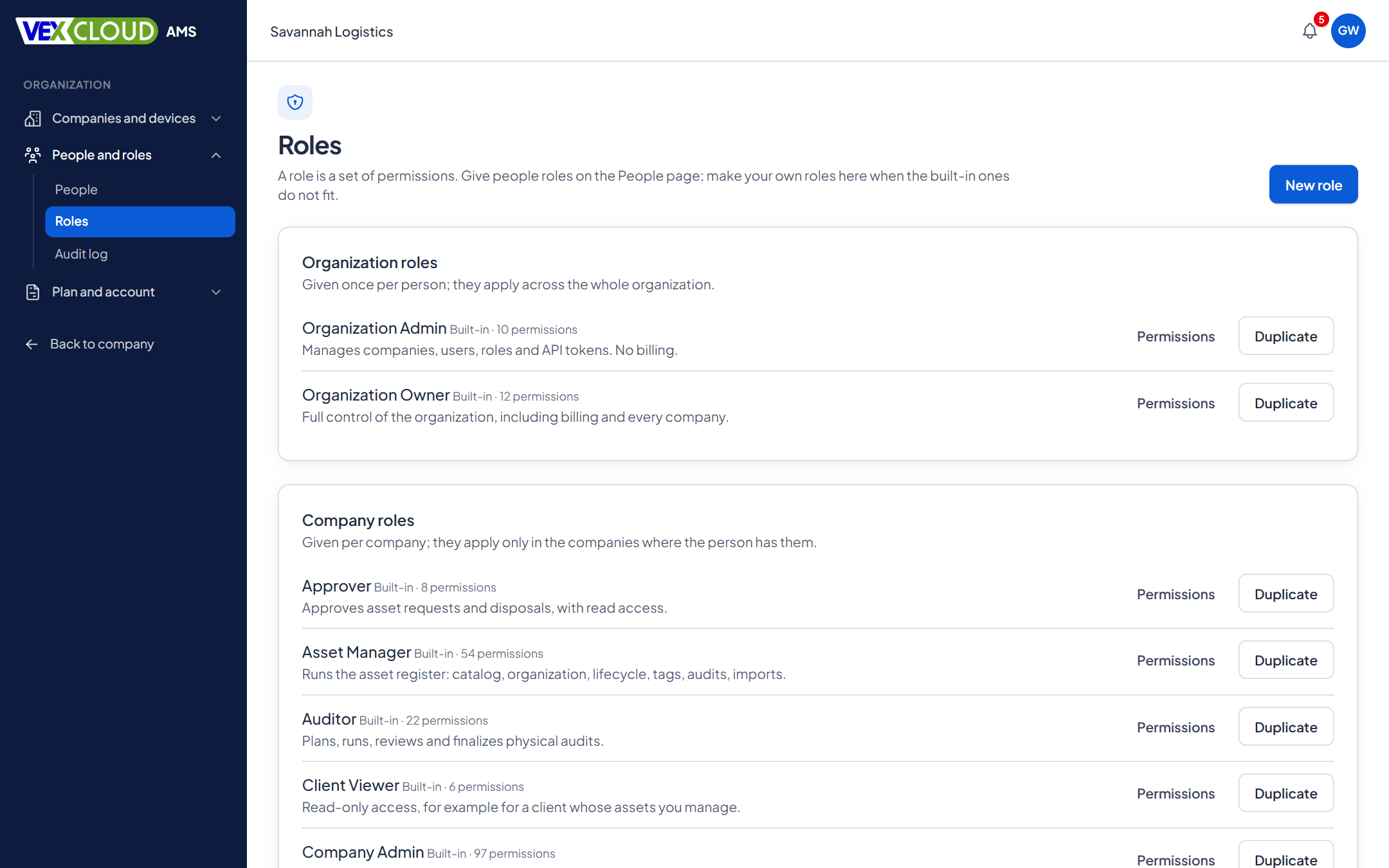
One person can be an Asset Manager in company A, an Auditor in B and a read-only Client Viewer in C. Permissions are checked for the company being used.
Ready-made roles include Organization Owner and Admin, Company Admin, Asset Manager, Finance Manager, Auditor, Field Agent, Viewer, Custodian, Client Viewer and Approver, and you can build your own.
04
Settings that belong to each company
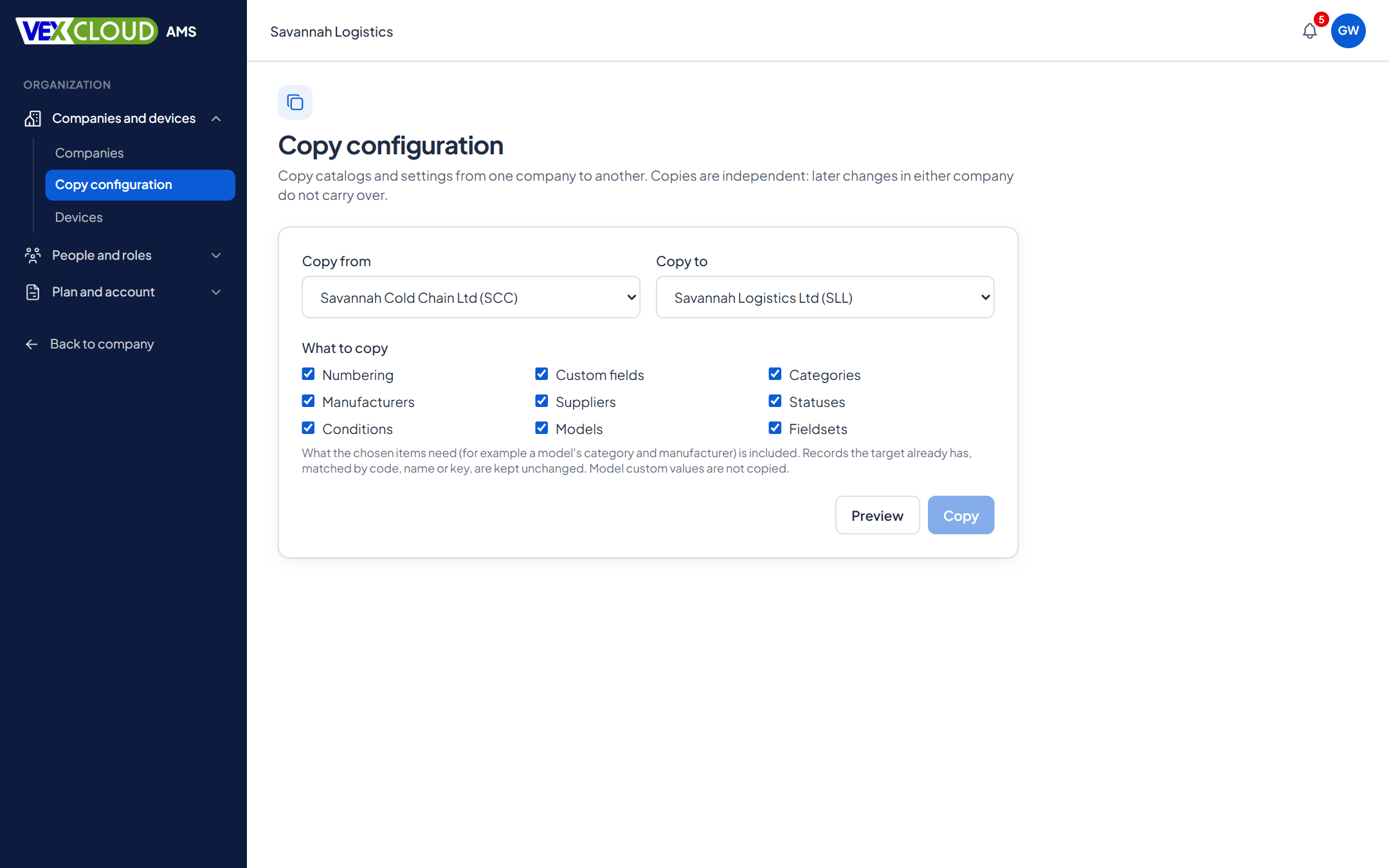
Each company has its own currency, time zone, fiscal year start, numbering schemes, statuses, depreciation policies, custom fields, tag templates and branding. When you set up a new company, copy configuration from an existing one instead of starting from nothing.
05
For firms that manage assets for clients
Run each client as a company, give your auditors the role they need in each, and give the client a read-only role to see their own register. Set your own display name and brand colour for what your clients see.
Details
- Company switcher
- Name and code in the header, with search for many companies
- Company in the address
- Every page and request names its company; tabs are independent
- Separation
- Application checks and database row-level security
- Roles
- Granted per company; system roles and your own
- Per-company settings
- Currency, time zone, fiscal year, numbering, statuses, policies, fields, templates
- Copy configuration
- Carry settings from one company to another
- Cross-company view
- Read-only, for those with the permission
- Client access
- Client Viewer role, read-only
- Branding
- Display name and brand colour per organization
- Android
- Choose the company on the device; queued changes keep the company they were made in
Related features
- Fixed asset registerNumbers, serials, locations, custodians, values, photos and documents, with history.
- Physical asset auditsScan what is really there and reconcile it against the register while you count.
- Reports and dashboardsThe registers and schedules finance and auditors ask for, exported to Excel and PDF.
Asset verification firms: run verification for every client from one login, each kept separate.
Verification firms often tag as well as count. See fixed asset tagging services in Kenya.
FAQ
Questions on many companies, one login
Can one person have different roles in different companies?
Yes. Roles are granted per company. Someone can be Asset Manager in one company, Auditor in another and Viewer in a third, with one login.
How are companies kept apart?
Every record belongs to a company, and the database itself enforces the separation with row-level security, in addition to the checks in the application. A request names the company it is for, and a mistake in one screen cannot write into another company.
Can I set up a new company the same way as an existing one?
Yes. Copy configuration lets you carry settings such as categories, locations, statuses, numbering and policies from one company to another.
Can my client see only their own assets?
Yes. Give them a Client Viewer role in their company: read-only access to that company and nothing else.
Is there a combined view across companies?
People with the cross-company permission can use a read-only All companies view. It never allows changes: to change something you switch into the company it belongs to.
See your own assets in VexCloud AMS.
Book a 30-minute demo.